
You can change the hostname in SolusVM.
1. Log in to your SolusVM Control Panel.
2. If you have multiple VPSs, select the appropriate one.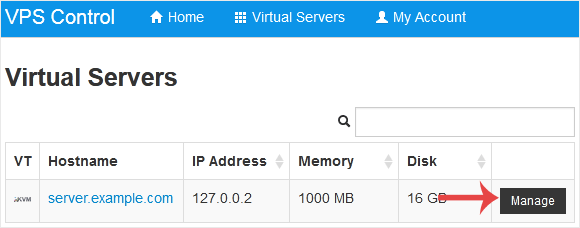
3. Scroll down. Under the Hostname tab, enter your hostname in the text field. Then click on Change.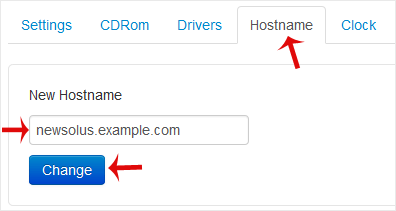
4. A reboot is required so that the saved changes can take effect.
Some example hostnames:
server1.example.com
hostingserver.example.com
30-Day Money-Back Guarantee!
If you are not happy with our services for whatever reason,
we’ll refund your payment. No hassle, no risk.